
 Build guides

Linked Chests
Use this endgame storage upgrade to access one inventory from your base, a farm or a distant outpost. The pack recipe uses a Light Engineering Block from Chapter VI.

What you need
Set it up
Craft two Linked Chests
Gather enough materials for both ends of the link. Use the same color of Wool for both recipes to give the chests matching channels from the start.
Match the three lid colors
Place both chests. Facing the latch, compare the left, middle and right color pads on the lids. Right-click a pad with dye to change it. Use the same colors in the same order at both ends.
Test the link before moving a chest
Put an Iron Ingot into the first chest, then open the second and take it out. Check the first chest again to see that the ingot was removed there too. Once the test works, put each chest where you want access to the shared inventory.
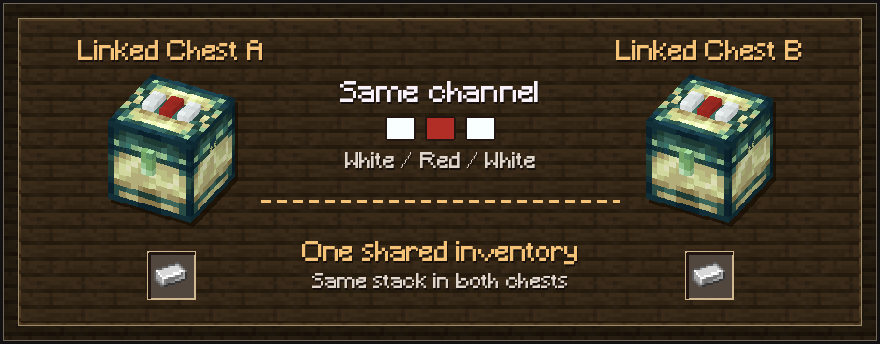
Both chests open the same inventory. Removing an item at either end removes it for the whole channel. Hook up a farm or add portable access
Point a hopper into one Linked Chest to feed it, or place a hopper beneath an endpoint to pull from the channel. For portable access, hold a Linked Pouch and sneak-right-click a chest to copy its channel. Right-click the pouch in the air to open that inventory.
Troubleshooting
- Check the channel if a chest looks empty
- Compare all three pad positions. Every chest on a matching standard channel uses the same 27 slots, so check whether another endpoint or hopper has already taken the items.
- Set up a personal channel
- Use a Diamond on the chest's front latch to switch it to your player-specific channel with 54 slots. Use the same account to configure every chest you want on that channel. If you link a pouch, copy the channel again after switching.